One adaptor.
Every network on site.

Network Switcher keeps the IP setups you use on the job as presets in the Mac menu bar. Reach a camera on its factory address, hop to the switch management network, then back to DHCP: one click or one keypress each.

£4.99, one-off. Free 7-day trial: no sign-up, no key. For macOS 13 Ventura and later.

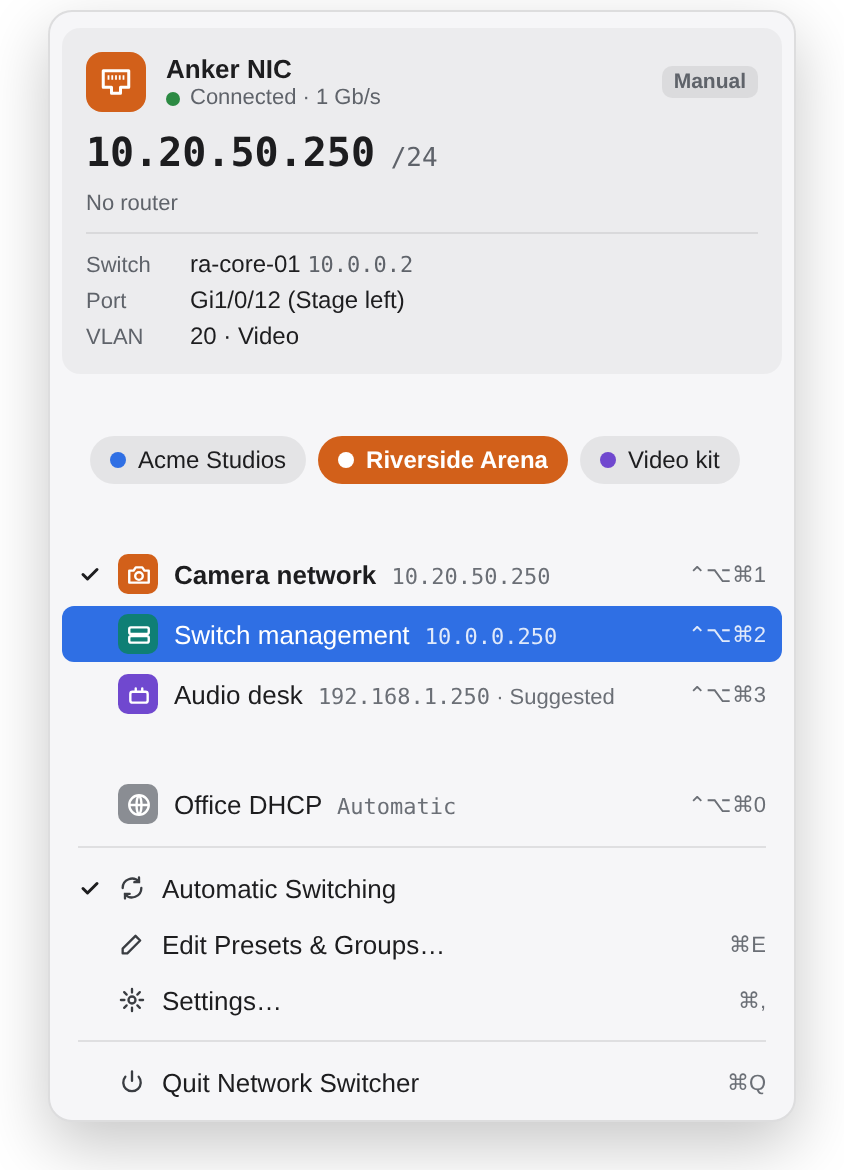
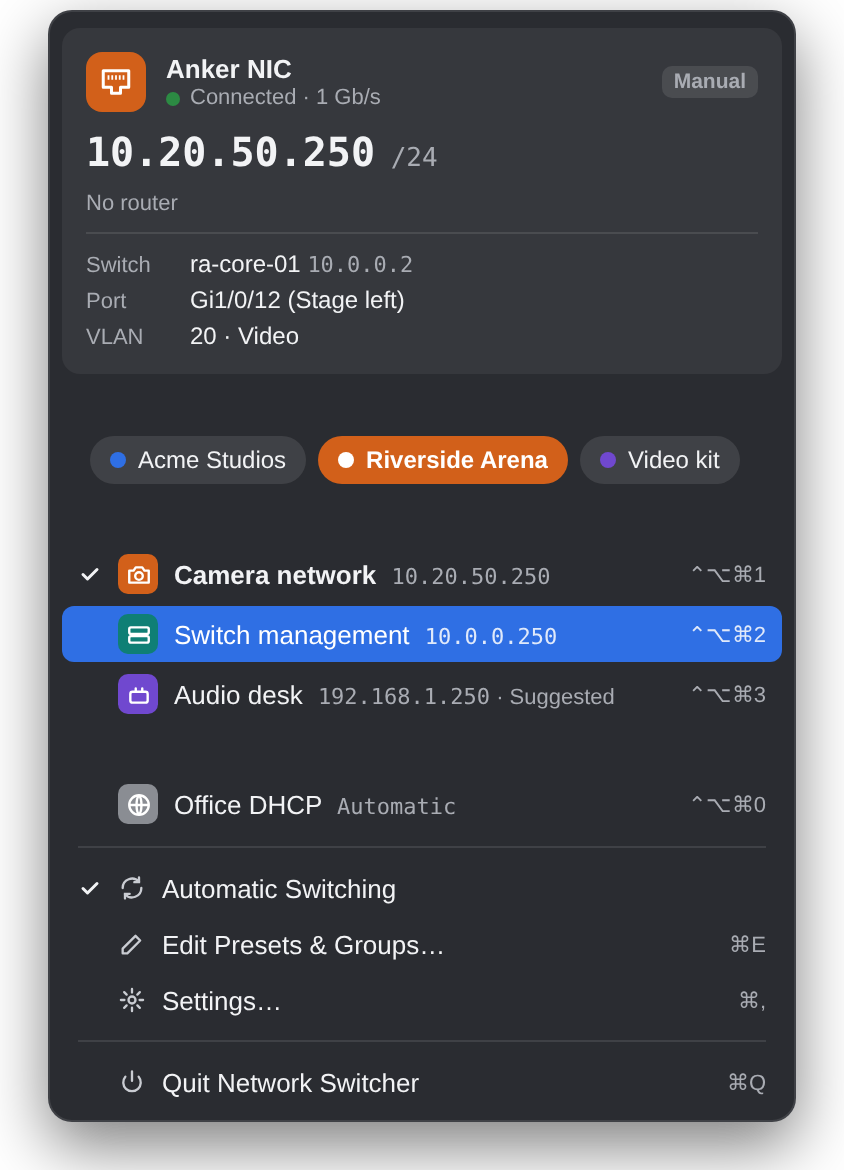
The Network Switcher menu: an adaptor's status with its address, switch, port and VLAN, group buttons, and a list of presets with keyboard shortcuts.
AV and broadcast engineers Network installers Systems integrators Anyone configuring kit with a default IP

Presets

Every address you need, ready to go

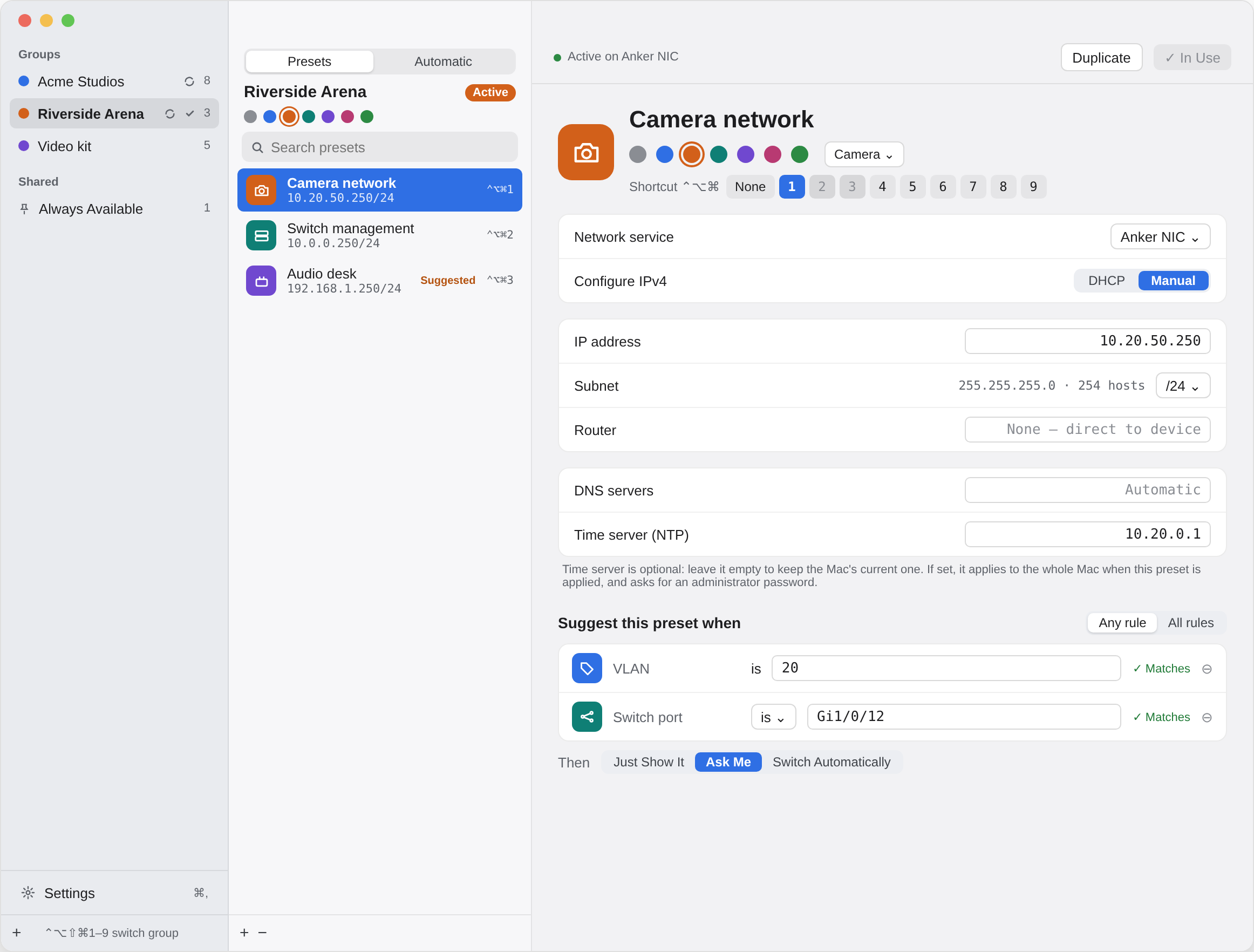
Save each setup once: a fixed address, subnet, router and DNS, or plain DHCP, plus an optional time server for isolated networks. Give it a colour, an icon and a shortcut, and it's one click away from then on.

  • Switch Now applies it straight away; In Use shows when the adaptor already matches.
  • Fill from Current Settings captures a setup you've already made by hand.
  • Changes save as you type.
The preset editor: groups on the left, the group's presets in the middle, and a preset's address, subnet, router, DNS and time server on the right.

Groups

A set of presets for every site and job

Keep one group per venue, client or kit list: the stadium this week, the studio next week, video one day and audio the next. Only the active group shows in the menu, so the list stays short.

  • Switch group from the menu or with ⌃⌥⇧⌘ and a number.
  • Always Available presets, like your office DHCP, appear in every group.
  • Copy a preset to another group and adjust it, without touching the original.
The menu in dark appearance, with buttons for each group above the active group's presets.

Automatic switching

It knows where you've plugged in

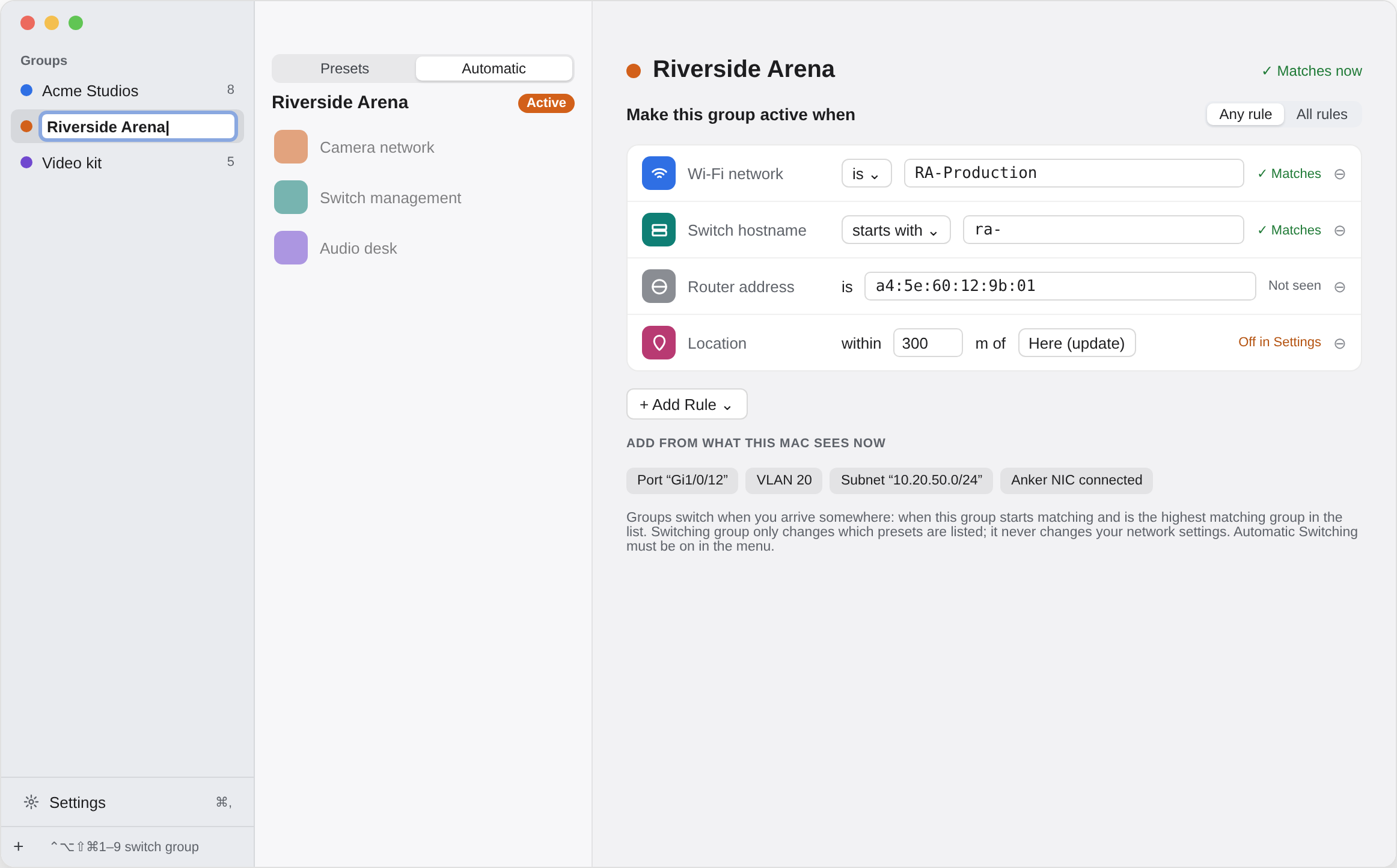
Teach a group what its site looks like and Network Switcher changes to it when you arrive. It can recognise:

  • the switch, port and VLAN your cable goes into;
  • the Wi‑Fi network you're on, the subnet you've been given, or which adaptor is connected;
  • your rough location, or a Bluetooth beacon left in a rack.

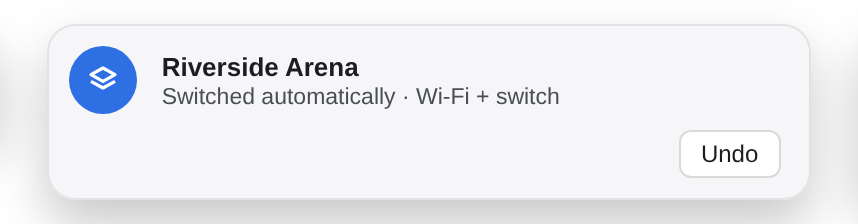
Presets can be suggested the same way, and either ask first or switch after a short countdown. Every automatic change can be undone, and each source stays off until you turn it on.

A group's Automatic tab, with rules for the Wi-Fi network, switch hostname and VLAN that recognise the site. A notice reading: Riverside Arena, switched automatically, Wi-Fi plus switch, with an Undo button.

The details that matter on site

Built for working with real kit, often in a hurry.

Status at a glance

Link and speed, current address, DHCP or manual, for each adaptor in the group.

Switch, port and VLAN

Read from the switch's own announcements (LLDP), so you know exactly where the cable goes.

Keyboard shortcuts

Apply presets with ⌃⌥⌘ and 1–9 from any app. You choose the numbers.

Several adaptors

Group presets by adaptor, and see which ones are plugged in.

Always a way back

A DHCP option for every adaptor is always in the menu.

Light and dark

Follows your Mac, or set it just for this app.

Private by design

No account, no tracking. Everything it senses stays on your Mac.

Yours to keep

Presets live in one file you can back up or copy to another Mac.

Questions

Does it need an administrator password?

On an administrator account, applying presets usually doesn't ask. On a standard account, macOS asks for an administrator's password when settings change. Setting a time server, and turning on switch info the first time, always ask.

Will it change my Wi‑Fi or other adaptors?

Only the adaptor a preset is for. A preset's time server is the one exception, because macOS has a single time server setting for the whole Mac.

Which adaptors does it work with?

Any network service macOS lists in System Settings → Network, including built-in Ethernet, USB and Thunderbolt adaptors, and docks.

Does it send any data anywhere?

No. Network Switcher has no account and no analytics. Wi‑Fi names, location and nearby Bluetooth devices are only used on your Mac, and only if you turn those sources on. See the privacy policy.

Can I try it first?

Yes. Download it and use everything free for 7 days. There's no account, email, card or licence key needed; the trial starts when you first open the app. After that, your presets and settings stay put; buy a licence for £4.99 to keep switching.

Why isn't it on the Mac App Store?

App Store apps aren't allowed to change network settings, which is the whole point of Network Switcher. It's signed and notarised by Apple instead, so it opens like any other app.

Network Switcher

£4.99, once, with free updates. Try it free for 7 days first: no sign-up, no card, no key. Coming soon for macOS 13 Ventura and later.

Buy · coming soon